The best memory card readers depend on which card formats you use and whether your priority is portability, broad compatibility, or faster transfers. These options range from simple USB readers to a field viewer, so check your device connection and card types before choosing.
Quick Top Products
SABRENT USB-C & USB-A Card Reader

- Includes USB-C and USB-A connections for different host ports.
- Supports SD and microSD card families in dual slots.
- USB 3.0 transfers up to 5Gbps; backward compatible with USB 2.0.
Best For: People who move cards between newer USB-C devices and computers with USB-A ports.

SABRENT USB-C UHS-II Card Reader
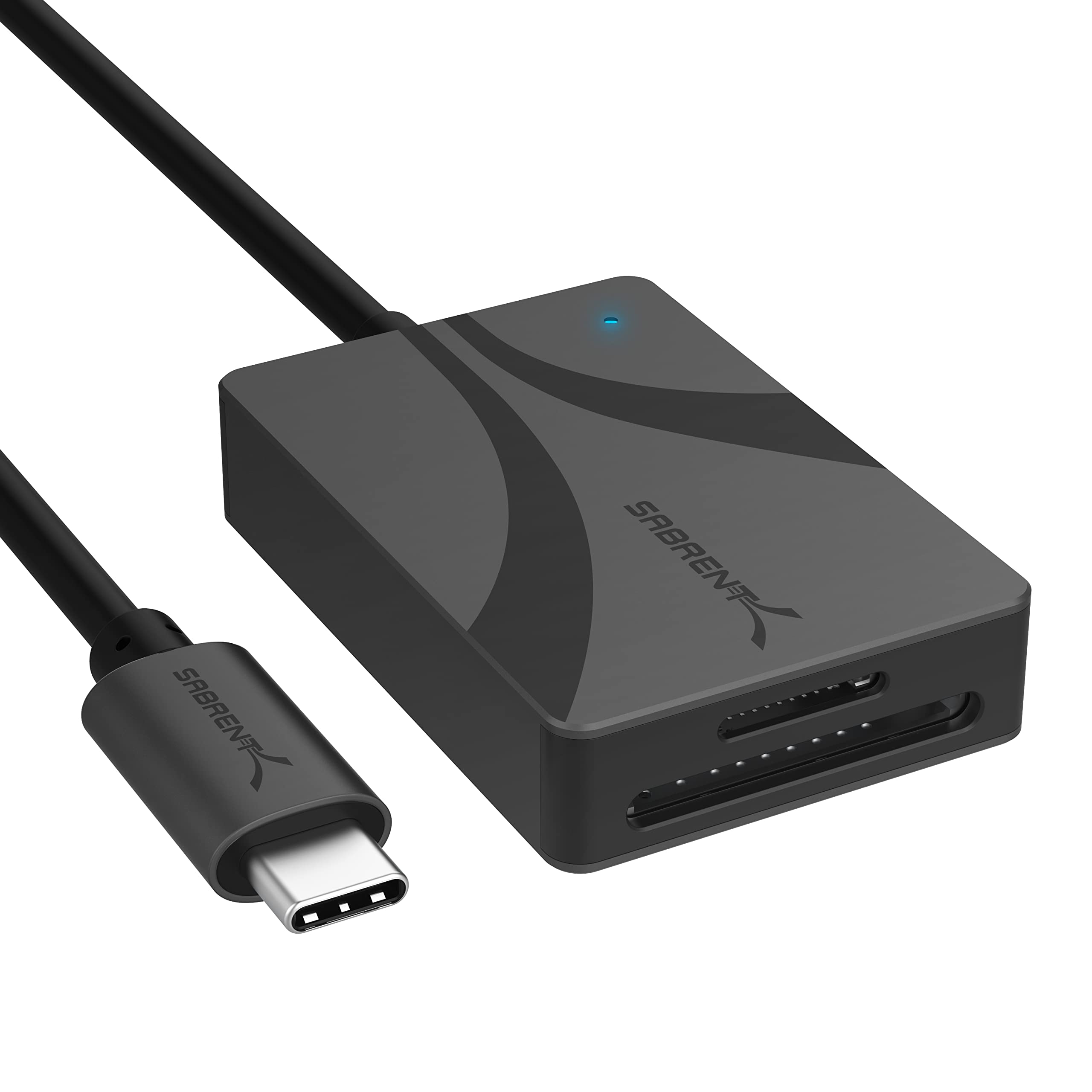
- Supports SD and microSD cards at speeds up to 312MBps.
- Can transfer files through both slots at the same time.
- Has an integrated 6-inch USB 3.2 Gen1 Type-C cable.
Best For: USB-C users who regularly transfer files from both SD and microSD cards.
SMALLRIG SD/TF Dual-Slot Reader 4870
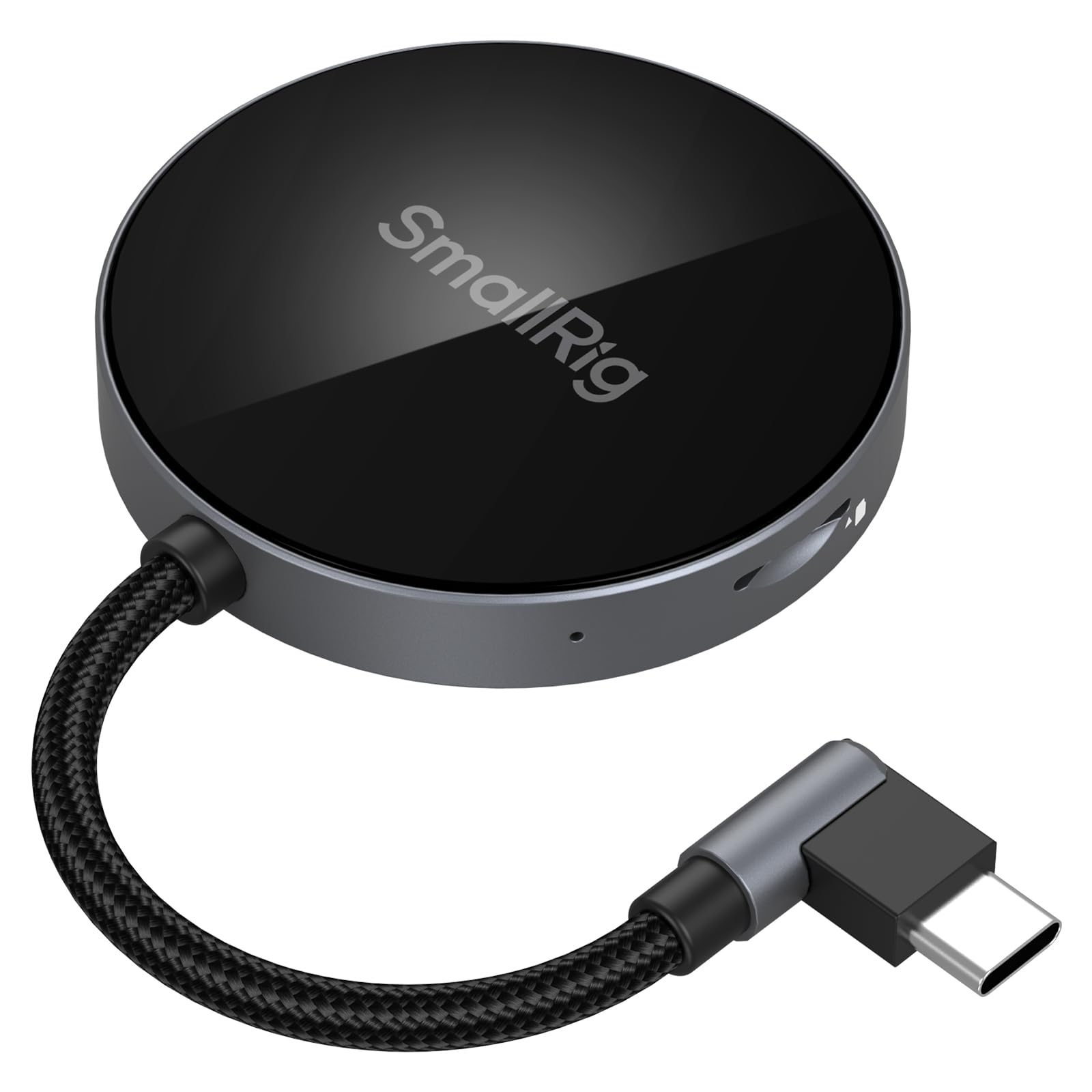
- Reads and writes SD and TF cards simultaneously at up to 312MB/s.
- Uses a 90-degree elbow interface to simplify cable routing.
- Includes a built-in magnet for specified phone models.
Best For: Mobile users who want a compact USB-C reader with an angled plug and broad device support.
SABRENT SuperSpeed 2 Slot Reader
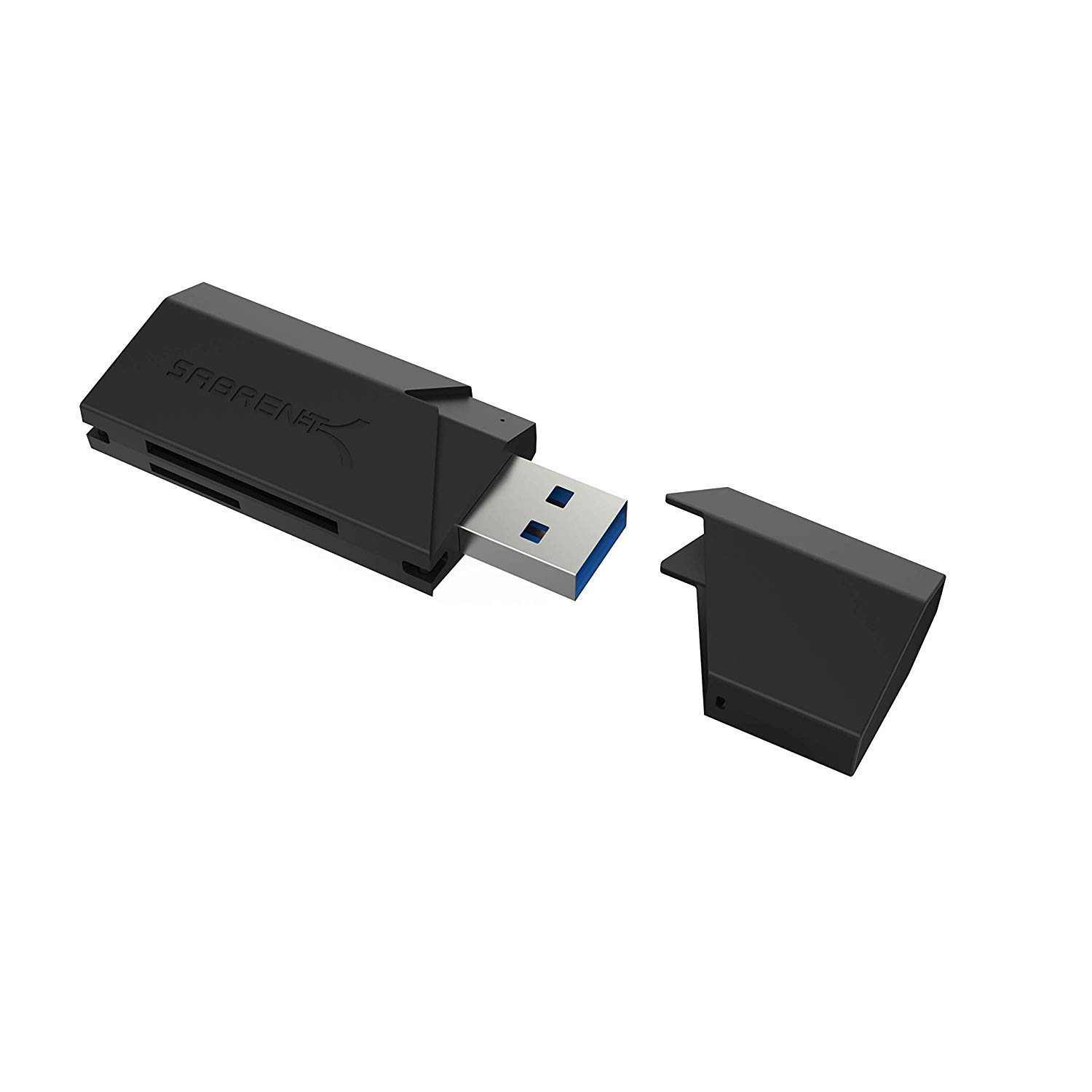
- Supports SD, SDHC, SDXC, MMC, microSD, and T-Flash.
- USB 3.0 works with USB 2.0 hosts as well.
- USB-powered plug-and-play operation needs no additional power supply.
Best For: Users who need a straightforward USB reader for common SD and microSD formats.
SABRENT USB 3.0 SD and Micro SD Reader
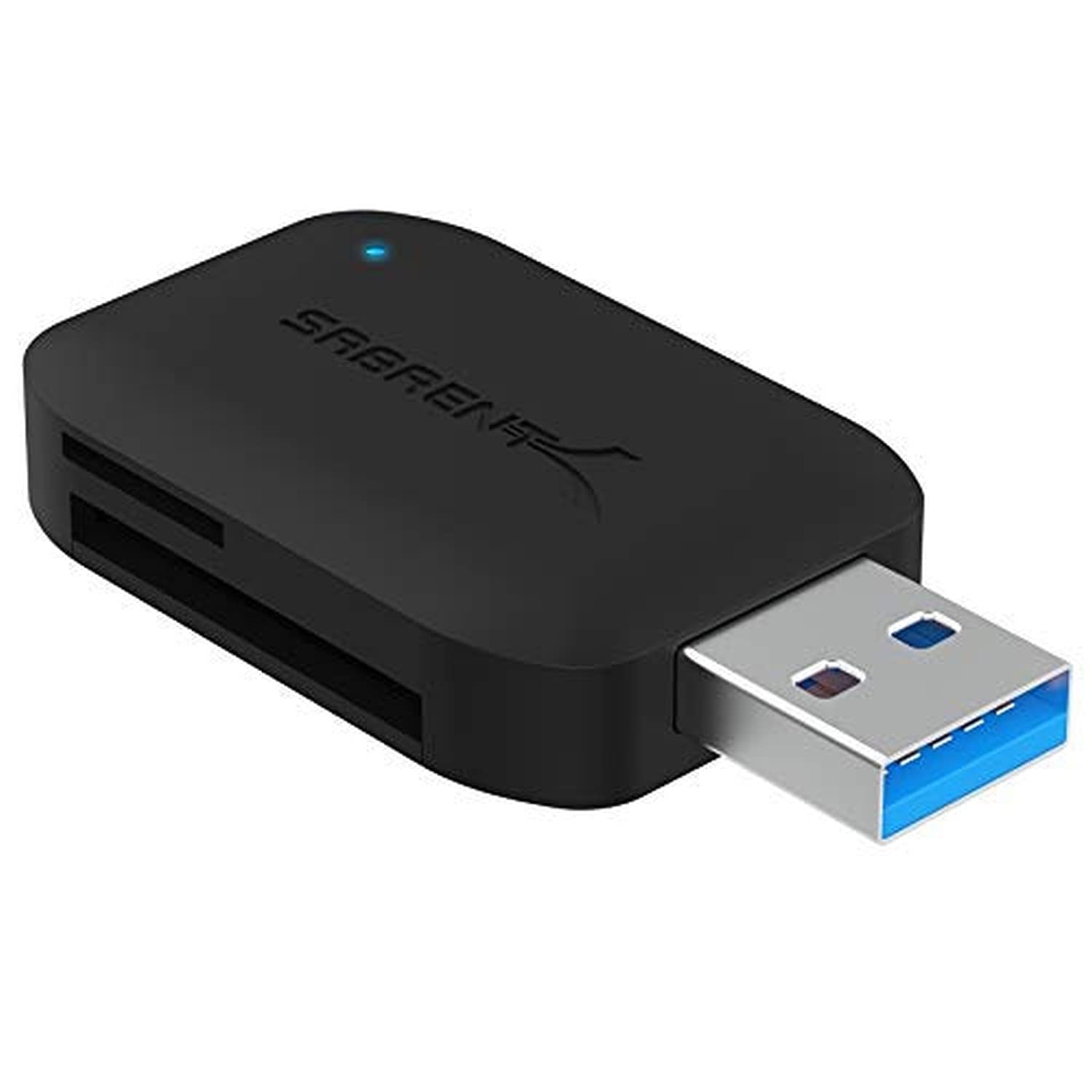
- Reads two cards at the same time.
- Supports SD and microSD formats, including UHS-I cards.
- Offers transfer rates up to 5Gb/s and supports older USB hosts.
Best For: People who want to read SD and microSD cards at the same time from a computer.
SABRENT 75-in-1 Multi-Flash Reader
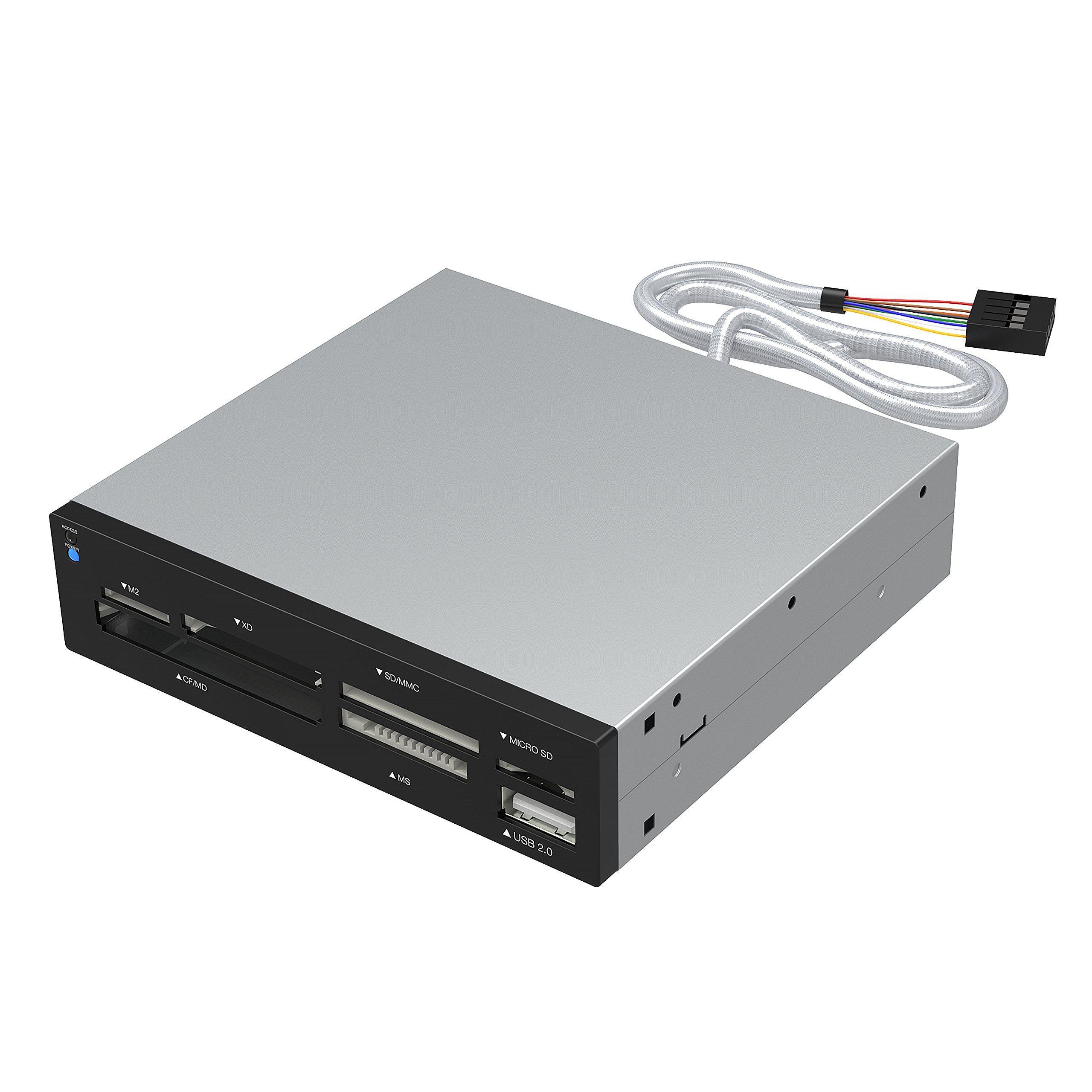
- Supports 74 different types of memory cards.
- Six slots cover formats including SD, microSD, CF, and Memory Stick.
- Includes one USB 2.0 port.
Best For: Users with a collection of older or less common memory card formats.
Muddy CRV3 HD SD Card Viewer
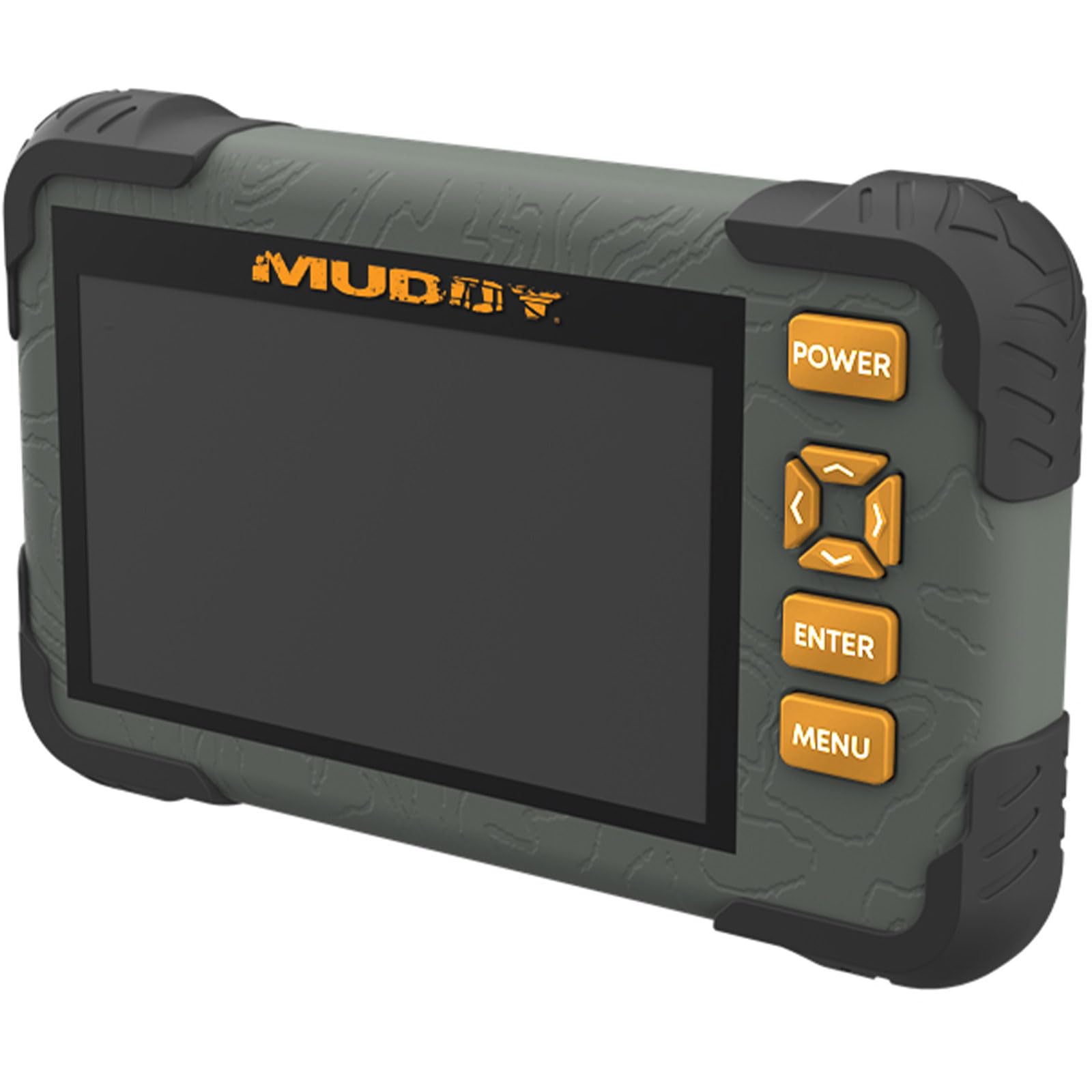
- Has a 4.3-inch color LCD screen.
- Supports SD cards up to 32GB.
- Provides a headphone jack for audio and 1080p playback.
Best For: Outdoor users who want to review SD card photos or video on a built-in screen.
SABRENT 74-in-1 Internal Card Reader
- Designed as a 3.5-inch internal card reader and writer.
- Supports 74 different card types in six reader slots.
- Includes an additional USB 2.0 port.
Best For: Desktop users who want a multi-format card reader installed in a compatible 3.5-inch bay.
USB-C and USB-A Flexibility
SABRENT SD Card Reader USB C & USB A, Micro SD Card Reader, USB 3.0 Dual Slot Memory Card Adapter for Laptop PC Android (CR-BCA2)
This SABRENT reader has both USB-C and USB-A connections, making it a flexible pick for moving SD and microSD cards between compatible devices. Its two slots support SD, SDHC, SDXC, microSD, microSDHC, and microSDXC formats.
USB 3.0 supports transfers up to 5Gbps, with USB 2.0 backward compatibility. It is plug and play on Windows, macOS, and compatible Android devices, and the compact design includes an LED activity indicator.
Confirm that your phone or tablet supports USB card access, and consider whether its connection style fits your ports and cases.
Best For: People who move cards between newer USB-C devices and computers with USB-A ports.
| Pros | Cons |
|---|---|
|
|
Choose this model if your devices have a mix of USB-C and USB-A ports and you want one reader for SD and microSD cards. Its USB 3.0 interface is specified at up to 5Gbps, although actual transfer rates also depend on the card and host device.
Before buying, check whether your Android device supports card access and whether the reader can connect comfortably alongside a protective case.
Dual UHS-II Slots with an Integrated Cable
SABRENT USB Type-C Card Reader, Dual-Slot UHS-II SDXC and microSDXC SD 4.0 (CR-CSDM)
The SABRENT CR-CSDM combines standard SD and microSD slots in a USB-C reader with an integrated 6-inch cable. It supports simultaneous transfers through both slots and card speeds up to 312MBps, while its host connection supports up to 5Gbps.
The reader is bus-powered, plug and play, and has an LED power indicator. Compatibility includes Windows 8+ and macOS 12+, with backward compatibility for older SD cards.
Its stated speed depends on the card and connection, so check your card's UHS-II capability and your computer's port before expecting the highest transfer rate.
Best For: USB-C users who regularly transfer files from both SD and microSD cards.
| Pros | Cons |
|---|---|
|
|
This reader fits a USB-C workflow where both card formats are in regular rotation and simultaneous transfers are useful. Its 312MBps figure is a card speed capability, while the host connection is specified up to 5Gbps; the card and computer determine the practical result.
Check that your computer has an available USB-C port and that its operating system matches the stated compatibility before buying.
Angled Connection for Phone Transfers
SMALLRIG SD/TF Dual-Slot Card Reader USB 4.0 312MB/s - 4870
The SMALLRIG 4870 is a two-slot SD and TF reader with a USB Type-C connection and a 90-degree elbow interface. It supports simultaneous reads and writes at up to 312MB/s and covers SD, SDHC, SDXC, and TF or microSD card families.
The built-in magnet attaches to specified phone models for hands-free use, and compatibility spans Windows, Mac, Linux, Android, and HarmonyOS devices. For Android transfers, allow the file manager to run in the background to avoid interruption.
Check your device and case fit, since magnetic attachment and port clearance depend on the specific phone setup.
Best For: Mobile users who want a compact USB-C reader with an angled plug and broad device support.
| Pros | Cons |
|---|---|
|
|
Consider this model if you transfer cards directly to a phone or tablet and value its angled plug and magnetic phone attachment. The stated maximum of 312MB/s and two-card operation may suit a mobile workflow, but the actual host and card still matter.
Verify your phone model and case arrangement, and follow the background file-manager guidance for Android before relying on uninterrupted transfers.
Simple Two-Slot USB-A Reader
SABRENT SuperSpeed 2 Slot USB 3.0 Flash Memory Card Reader for Windows, Mac, Linux, and Certain Android Systems Supports SD, SDHC, SDXC, MMC/MicroSD, T Flash [Black] (CR-UMSS)
This SABRENT two-slot reader provides a straightforward USB connection for common memory cards, including SD, SDHC, SDXC, MMC, microSD, and T-Flash. It uses USB 3.0 and remains compatible with USB 2.0 hosts.
Power comes from the USB port, so there is no separate power supply to manage, and setup is plug and play without installation. The title lists Windows, Mac, Linux, and certain Android systems, making host compatibility an important check.
It is a practical fit for a computer-centered workflow that does not require a USB-C connector or a field-viewing screen.
Best For: Users who need a straightforward USB reader for common SD and microSD formats.
| Pros | Cons |
|---|---|
|
|
Pick this reader for a simple USB-based setup that uses common SD and microSD formats and does not need a separate power source. USB 3.0 support is included, with compatibility for older USB 2.0 hosts.
The exact connector shape is not stated, so check that detail before ordering; also confirm whether your Android system falls within the compatibility described.
Two-Card Reads with an Activity Light
SABRENT USB 3.0 Micro SD and SD Card Reader (CR-BYMS)
This compact SABRENT reader supports SD, SDHC, SDXC, microSD, microSDHC, and microSDXC cards, including UHS-I cards. It can read two cards simultaneously and uses a USB 3.0 connection with transfer rates up to 5Gbps.
An LED indicates power and activity, while backward compatibility with USB 2.0 and 1.1 helps it work with older hosts. The compatibility details name Windows and Mac OS X 10 or higher.
Check the host connection and operating system fit before buying, especially if you plan to use it with a phone or tablet.
Best For: People who want to read SD and microSD cards at the same time from a computer.
| Pros | Cons |
|---|---|
|
|
This is a sensible option if you often handle both SD and microSD cards and want to read them simultaneously. It covers UHS-I cards and includes an activity LED, with USB 2.0 and 1.1 backward compatibility.
Its listed operating system support is Windows and Mac OS X 10 or higher, so confirm the fit for your computer and check the physical connector before purchase.
Wide Legacy Card Format Coverage
SABRENT 75 in 1 Multi Flash Media Card Reader/Writer(with Power Cord) (CRW-UINB)
The SABRENT CRW-UINB uses six reader slots to cover a broad mix of card formats, including M2, xD, SD, SDHC, SDXC, MMC, microSD families, CompactFlash, Microdrive, and Memory Stick. The product supports 74 different card types, though some cards may require an adapter.
It also includes a USB 2.0 port and an internal power connector intended to help supply external USB devices through the hub. This reader is better suited to a desk with varied legacy media than to a minimalist travel kit.
Check whether your particular card needs an adapter and whether the available operating-system support suits your computer.
Best For: Users with a collection of older or less common memory card formats.
| Pros | Cons |
|---|---|
|
|
Choose this reader when the key requirement is access to several legacy and less common card formats, rather than a small travel-friendly design. Its six slots and 74-format support stand out among the simpler SD and microSD readers here.
Confirm the exact format and adapter needs of your card before buying, and consider whether USB 2.0 is appropriate for the transfers you expect.
Standalone Outdoor Card Viewer
Muddy CRV3 HD SD Card Viewer - Durable Water-Resistant Hunting Outdoor SD Card Reader/Viewer with 4.3" LCD Screen & Headphone Jack for Audio - Supports up to 32GB
The Muddy CRV3 is a card viewer with a 4.3-inch color LCD rather than a basic computer-only reader. It has an SD card slot supporting cards up to 32GB, a headphone jack for audio, and 1080p video playback.
The intuitive menu and water-resistant outdoor positioning make it relevant for reviewing trail-camera media away from a desk. Its capacity limit is central to the buying decision, and the product details do not specify computer connectivity or compatibility with microSD cards.
Check your card format and capacity, and confirm whether standalone playback meets your workflow.
Best For: Outdoor users who want to review SD card photos or video on a built-in screen.
| Pros | Cons |
|---|---|
|
|
This is the specialized choice for outdoor review when a built-in display and audio output matter more than direct computer transfers. Its SD slot is limited to cards up to 32GB, so check your card before choosing it.
Computer connectivity and microSD support are not specified; confirm those details if your workflow depends on copying files to another device.
Internal 3.5-Inch Bay Installation
SABRENT 74 in 1 3.5 Inch Internal Flash Media Card Reader/Writer with USB Port (CR-USNT)
The SABRENT CR-USNT is a 3.5-inch internal card reader and writer designed for a desktop installation. Its six slots cover 74 card types across formats such as M2, xD, SD, MMC, microSD, CompactFlash, Microdrive, and Memory Stick, with adapters needed for some cards.
It also includes a USB 2.0 port and an internal power connector for the USB hub. This option makes sense when an accessible front-bay reader is useful and the computer has a compatible bay.
Confirm the bay, connector, card-format, and operating-system requirements before buying.
Best For: Desktop users who want a multi-format card reader installed in a compatible 3.5-inch bay.
| Pros | Cons |
|---|---|
|
|
Select this model for a desktop that has a suitable 3.5-inch bay and would benefit from built-in access to many card formats. The broad six-slot layout and extra USB 2.0 port suit a stationary workstation, while the internal installation makes it less appropriate as a portable reader.
Check your case's available bay, internal connections, and any adapter needs for less common cards.
How to Choose Memory Card Readers
How We Picked Memory Card Readers
This selection covers the common SD and microSD workflow as well as distinct needs that affect the right type of reader. Compact external options cover USB-A, USB-C, or both; broader legacy format support serves older media; the Muddy viewer offers screen-based field review; and the SABRENT internal model is for a desktop bay.
We prioritized records with clearly stated card formats, host connections, transfer capabilities, or a specific use case. That means checking not only whether a reader accepts SD cards, but whether it also fits microSD, legacy formats, phone connections, or a standalone viewing workflow.
Comparing Memory Card Readers by Connection and Card Type
For a mixed USB-C and USB-A computer setup, the SABRENT CR-BCA2 has both connector types. USB-C models such as the SABRENT CR-CSDM and SMALLRIG 4870 focus on modern USB-C connections; the SMALLRIG also has an angled plug and magnetic attachment for specified phones.
The simpler SABRENT CR-UMSS is USB-powered and plug and play, while its connector type is not specified in the available details.
Card coverage varies as much as the connection. Several models focus on SD and microSD, while the 75-in-1 SABRENT external reader and 74-format internal unit add older formats such as CF, M2, xD, and Memory Stick.
The Muddy viewer is a different kind of tool: it reads SD cards up to 32GB and displays media on its own screen.
| Product | Standout features | Best for |
|---|---|---|
| SABRENT USB-C & USB-A Card ReaderCheck Price |
| People who move cards between newer USB-C devices and computers with USB-A ports. |
| SABRENT USB-C UHS-II Card ReaderCheck Price |
| USB-C users who regularly transfer files from both SD and microSD cards. |
| SMALLRIG SD/TF Dual-Slot Reader 4870Check Price |
| Mobile users who want a compact USB-C reader with an angled plug and broad device support. |
| SABRENT SuperSpeed 2 Slot ReaderCheck Price |
| Users who need a straightforward USB reader for common SD and microSD formats. |
| SABRENT USB 3.0 SD and Micro SD ReaderCheck Price |
| People who want to read SD and microSD cards at the same time from a computer. |
| SABRENT 75-in-1 Multi-Flash ReaderCheck Price |
| Users with a collection of older or less common memory card formats. |
| Muddy CRV3 HD SD Card ViewerCheck Price |
| Outdoor users who want to review SD card photos or video on a built-in screen. |
| SABRENT 74-in-1 Internal Card ReaderCheck Price |
| Desktop users who want a multi-format card reader installed in a compatible 3.5-inch bay. |
Transfer Speed, Simultaneous Slots, and Compatibility
Speed figures are useful only when they match the card and host. The SABRENT CR-CSDM and SMALLRIG 4870 give figures up to 312MBps or 312MB/s, while other USB 3.0 models cite up to 5Gbps.
Those numbers use different units and describe interfaces or reader capabilities, so compare them with your card's own rating and the computer or phone connection you plan to use.
If you routinely copy between two cards, look for simultaneous operation: the CR-CSDM can transfer through both slots and the SMALLRIG reads and writes SD and TF at once. The older SABRENT CR-BYMS supports simultaneous reads.
Also check system compatibility: the Muddy viewer has an SD capacity ceiling, the CR-CSDM specifies Windows 8+ and macOS 12+, and the SMALLRIG includes a note about keeping the Android file manager active during transfers.
Choosing a Memory Card Reader for Travel, Field Use, or a Desktop
For a camera bag, a compact external reader may be easier to carry than the broad-format desk readers. If you review trail-camera media away from a computer, the Muddy unit's screen, headphone jack, and video playback offer a standalone viewing path, subject to the SD capacity limit.
For a permanent workstation, the internal SABRENT requires a compatible 3.5-inch bay and can keep several card slots accessible at the front.
Think about where files will go after reading. A phone-centered workflow benefits from USB-C and confirmed device compatibility; a mixed laptop fleet can favor the dual-connector CR-BCA2.
If your cards include legacy formats, verify whether an adapter is needed for the external 75-in-1 reader or internal 74-format model.
Who Should Buy Which Memory Card Reader
Choose the SABRENT CR-BCA2 for one reader across USB-C and USB-A ports, or the CR-CSDM for a USB-C computer that benefits from an integrated cable and simultaneous SD and microSD transfers. The SMALLRIG 4870 is the phone-oriented choice when its angled connector and supported magnetic attachment suit your device.
For straightforward SD and microSD access, consider the SABRENT CR-UMSS or CR-BYMS, checking the connector and operating-system fit. Pick the external 75-in-1 reader for legacy card variety, the internal 74-format model for a compatible desktop bay, or the Muddy CRV3 when built-in outdoor viewing is the main task.